Restoring a virtual machine to an existing VM

This guide describes how to restore a complete virtual machine from a backup directly to an existing virtual machine. This will overwrite the existing VM. This procedure is suitable if a VM is no longer functioning correctly and needs to be reset to an earlier state.


1. Select the appropriate virtual machine under All Devices.
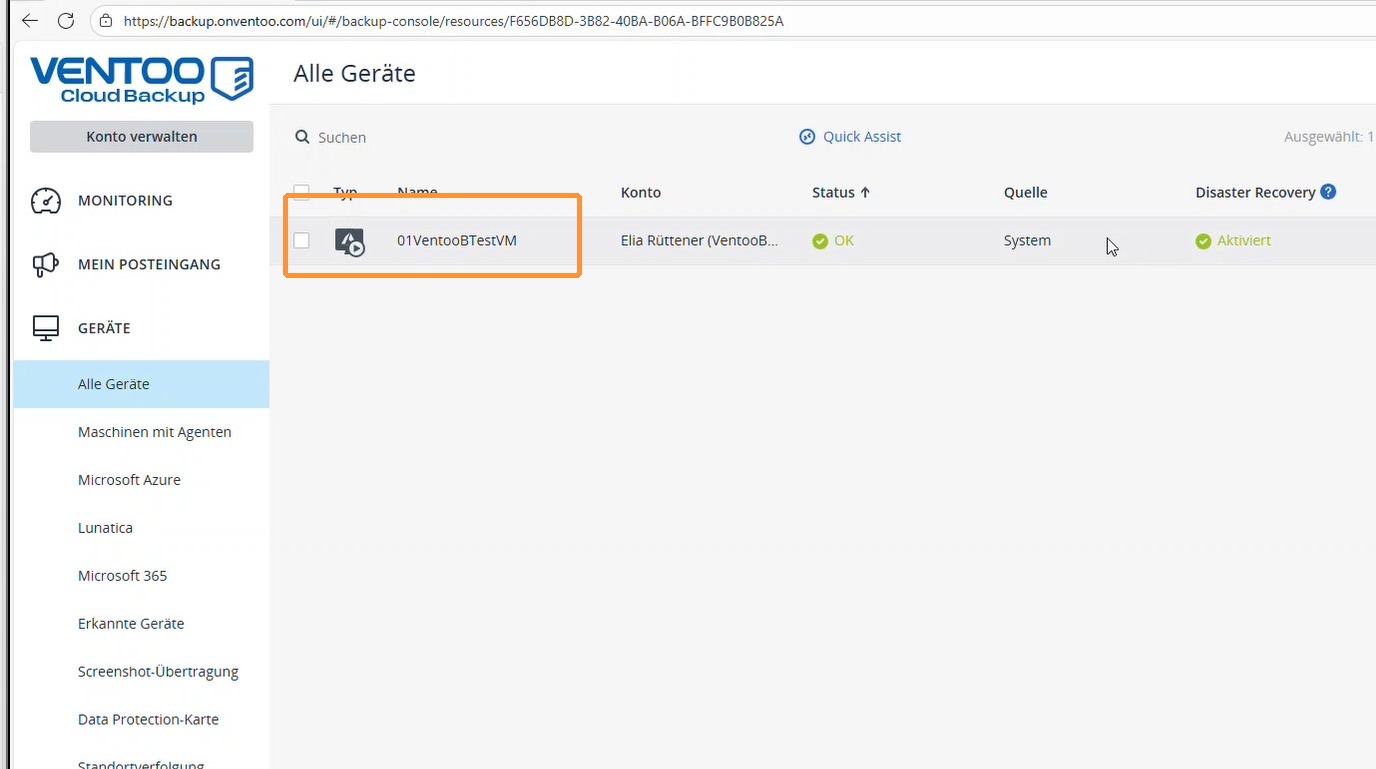
https://colony-recorder.s3.amazonaws.com/files/2026-01-27/60d6285b-0c93-4085-b7cb-1f71a1691b3a/ascreenshot_be2c8a2567bf4fc0b9af33aaac0fb23b_text_export.jpeg

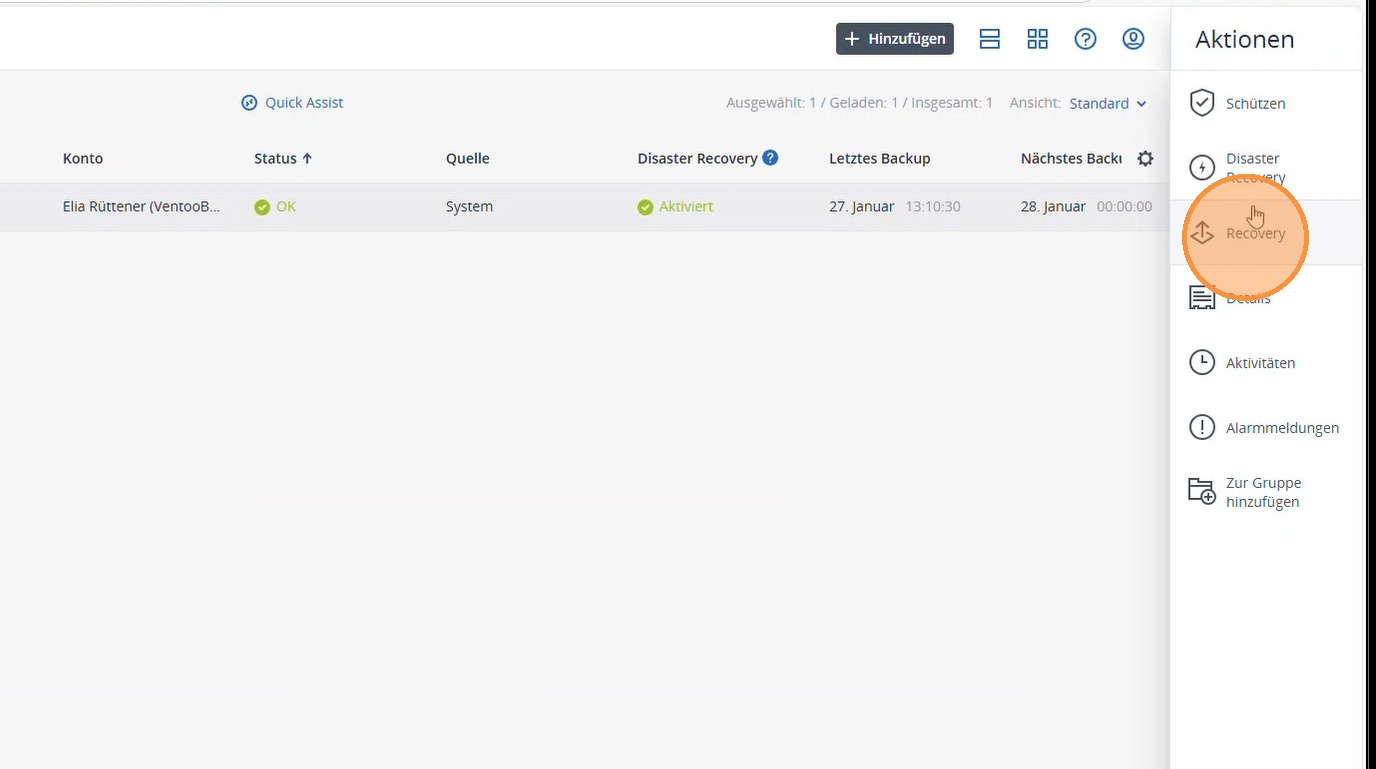
2. Select Recovery.

https://colony-recorder.s3.amazonaws.com/files/2026-01-27/324a52db-57ff-4659-a7a0-2f878c7d77f9/ascreenshot_cc4cdb37d4c44369b72b88a01041d7f7_text_export.jpeg

3. Select the appropriate backup date and click Restore.
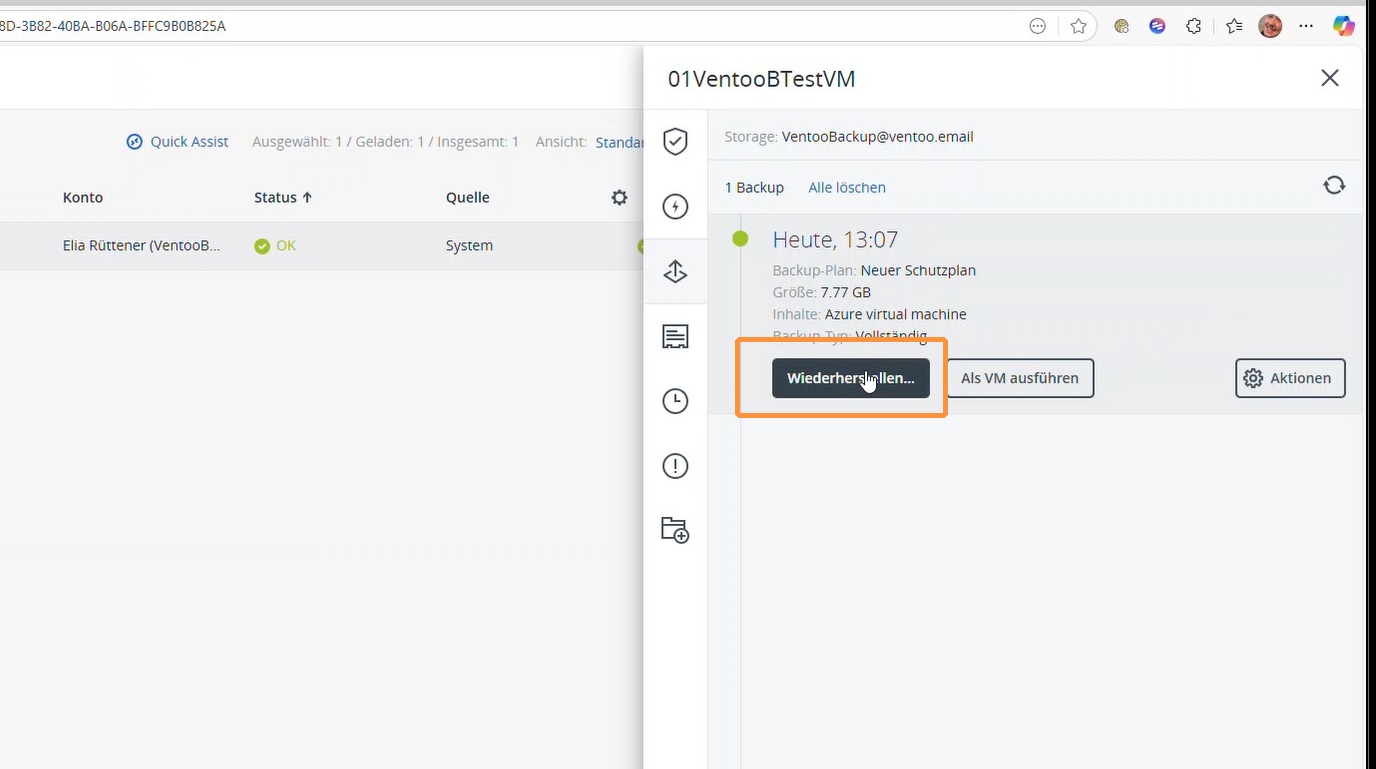
https://colony-recorder.s3.amazonaws.com/files/2026-01-27/20af52be-6e0a-4fbb-91c0-13fe4746d39d/ascreenshot_f33db9982dc2447892409478d7fe7c60_text_export.jpeg

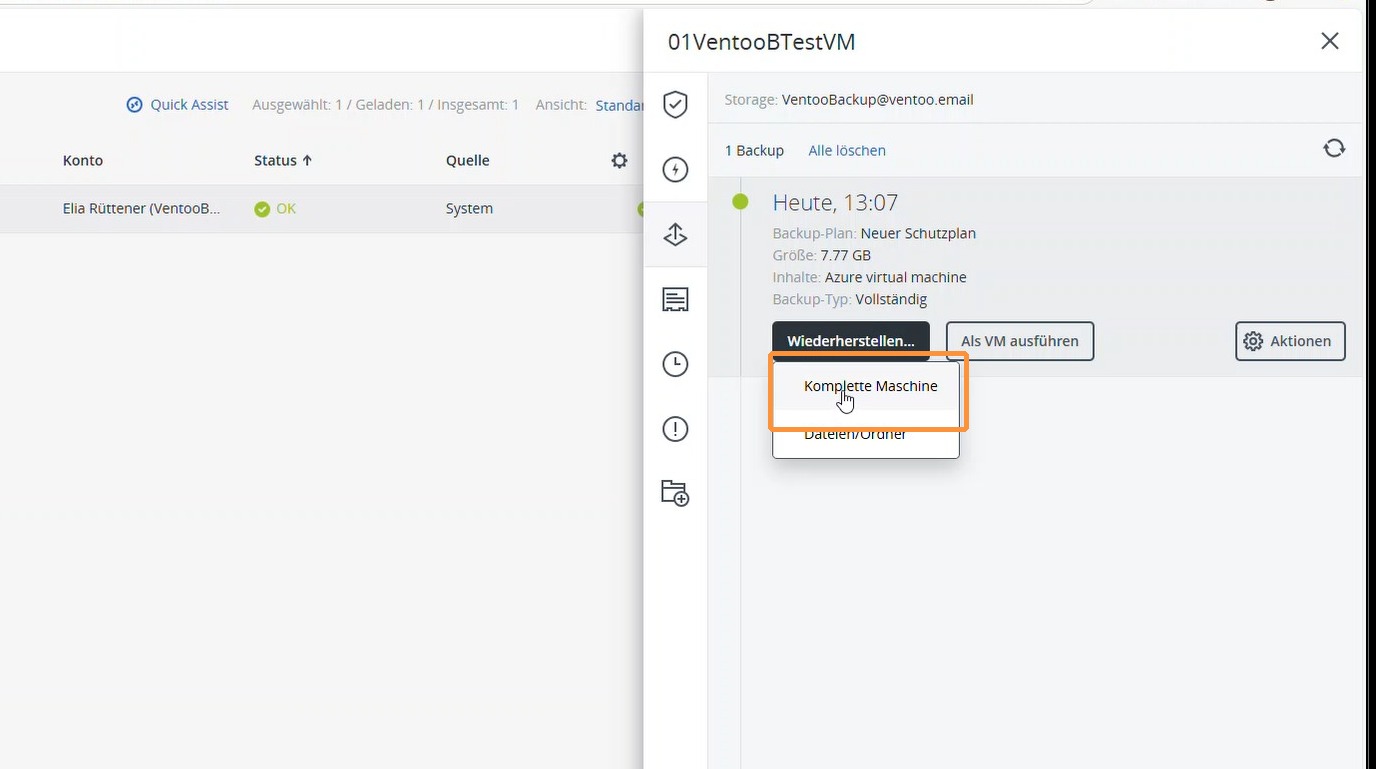
4. Select Complete Machine.

https://colony-recorder.s3.amazonaws.com/files/2026-01-27/fb2ae070-d2a6-4ce0-88f0-9b90859a5e6e/ascreenshot_04a162fa912f4beda42cf6c32cfc010d_text_export.jpeg

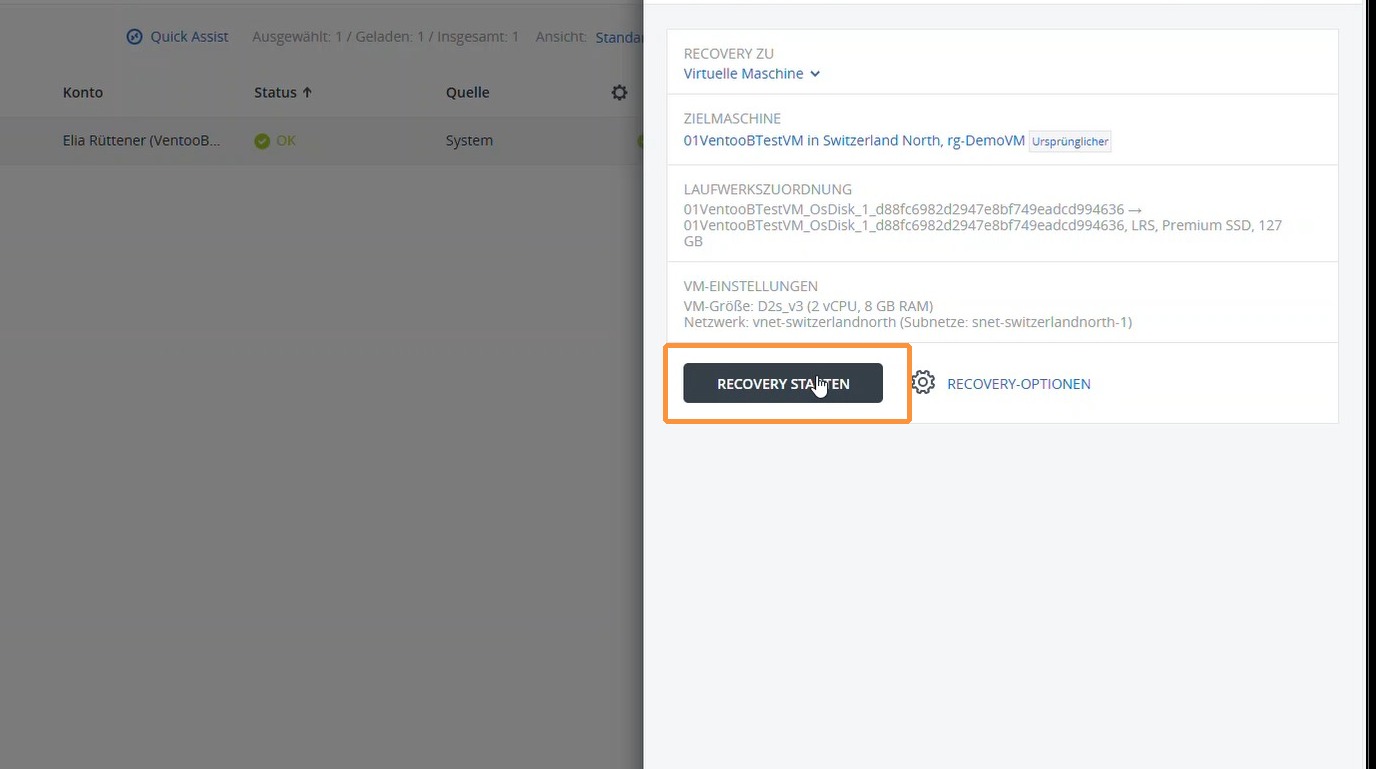
5. Start the recovery. The target machine is set to the existing virtual machine by default.
https://colony-recorder.s3.amazonaws.com/files/2026-01-27/ec5f7f0c-e793-47b2-95de-d86e5809ae83/ascreenshot_9ad35ceb0fab463893ee668f70871902_text_export.jpeg

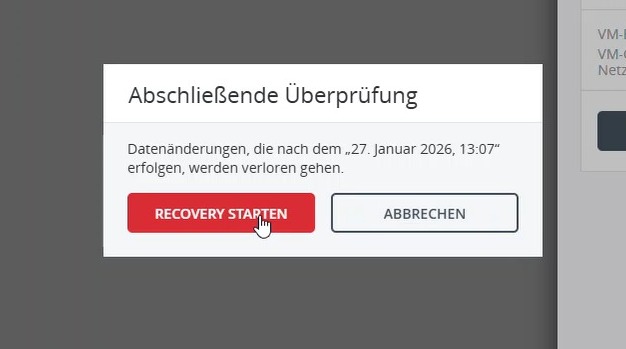
6. Before recovery begins, a warning appears stating that all changes made after the selected backup period will be lost.

If this is not desired, recovery can alternatively be performed as a separate recovery VM. In this case, the existing virtual machine remains unchanged and the data can be checked or transferred.

The corresponding instructions for recovery as a new recovery VM are linked here.
https://colony-recorder.s3.amazonaws.com/files/2026-01-27/9b9888c7-f384-4f43-82c5-403ac93aa8bc/ascreenshot_2b00326afab348b997e5f01ce16a4844_text_export.jpeg

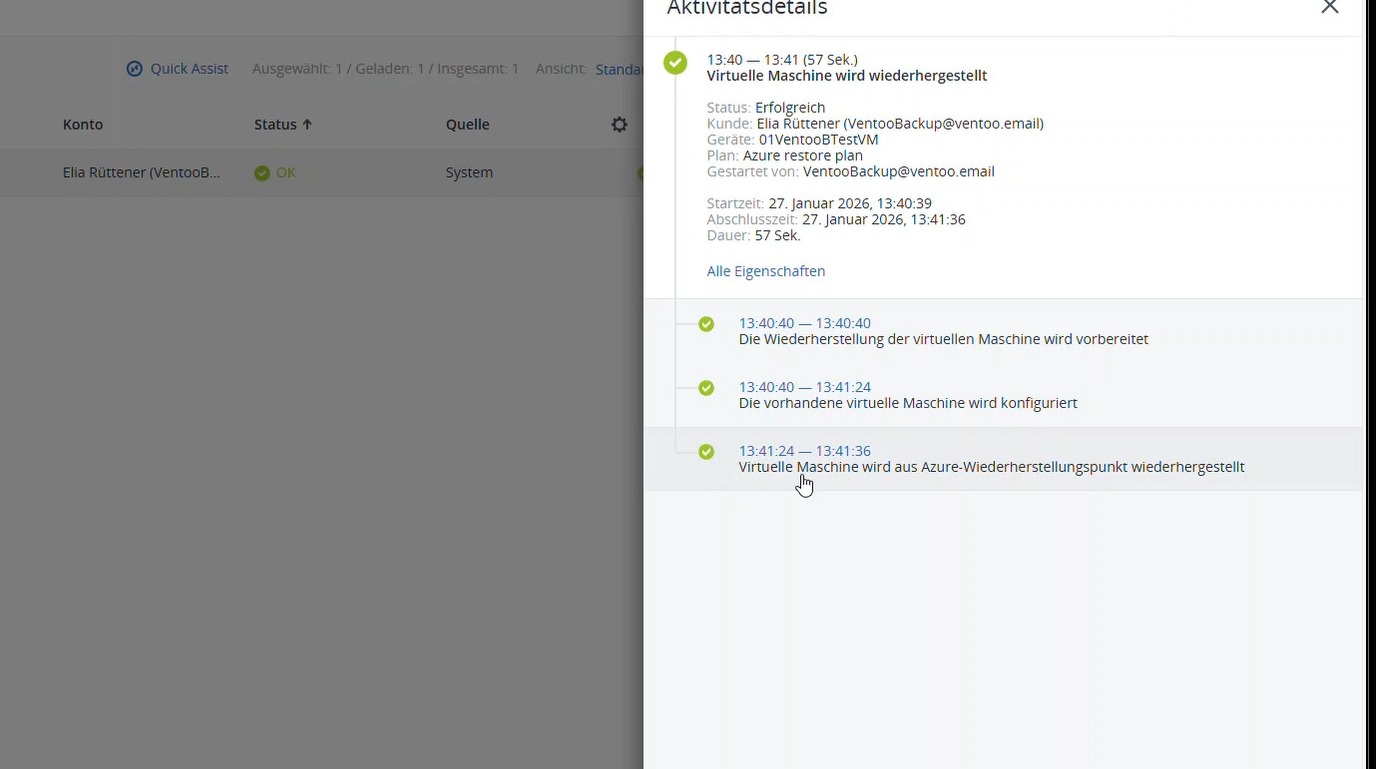
7. The restoration is being performed.
https://colony-recorder.s3.amazonaws.com/files/2026-01-27/e60de32a-10d3-493e-bdfe-b0d4ca8e1748/ascreenshot_ecd2ea94c75249c6a417c4b773b71a61_text_export.jpeg

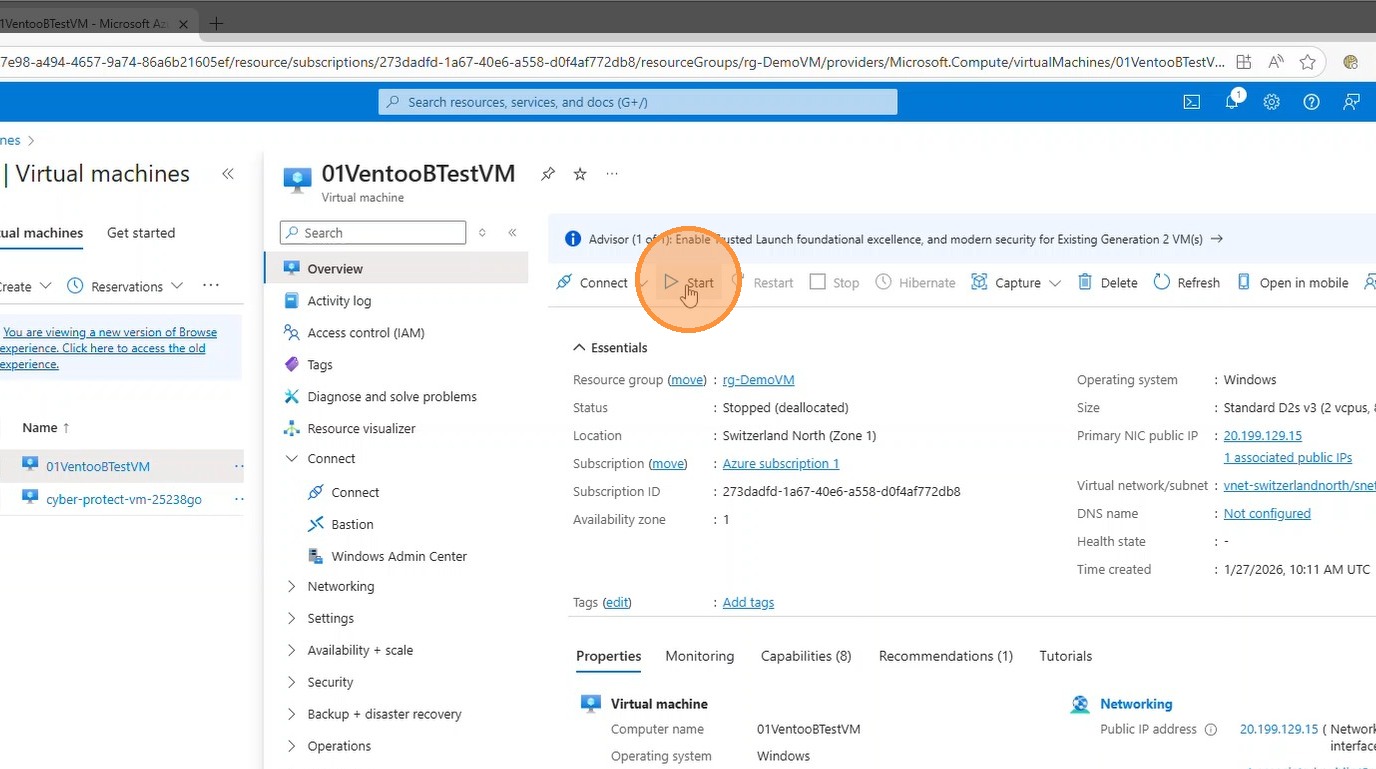
8. After recovery, the virtual machine can then be started directly in Azure.
https://colony-recorder.s3.amazonaws.com/files/2026-01-27/513797c7-6436-4e43-a82b-91a6eb84578e/ascreenshot_af572bd1e0644410836d281effe876b0_text_export.jpeg