
Set up backup on mobile devices

This section explains how to prepare and connect mobile devices for backup. This makes mobile devices visible in Acronis Cyber Protect Management and allows them to be backed up.


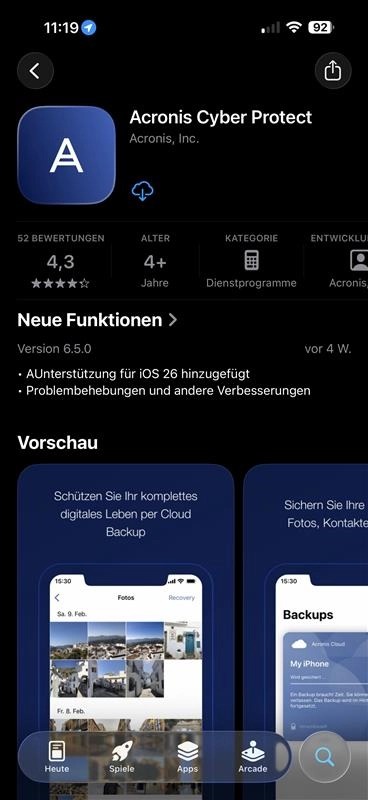
1. Install the Acronis Cyber Protect app from the App Store or Google Play Store.
https://colony-recorder.s3.amazonaws.com/files/2026-01-19/0ae2bd59-d797-4690-9178-aab3d6c7691a/screenshot_8f3289d6da4947adaff039b850182f65_text_export.jpeg

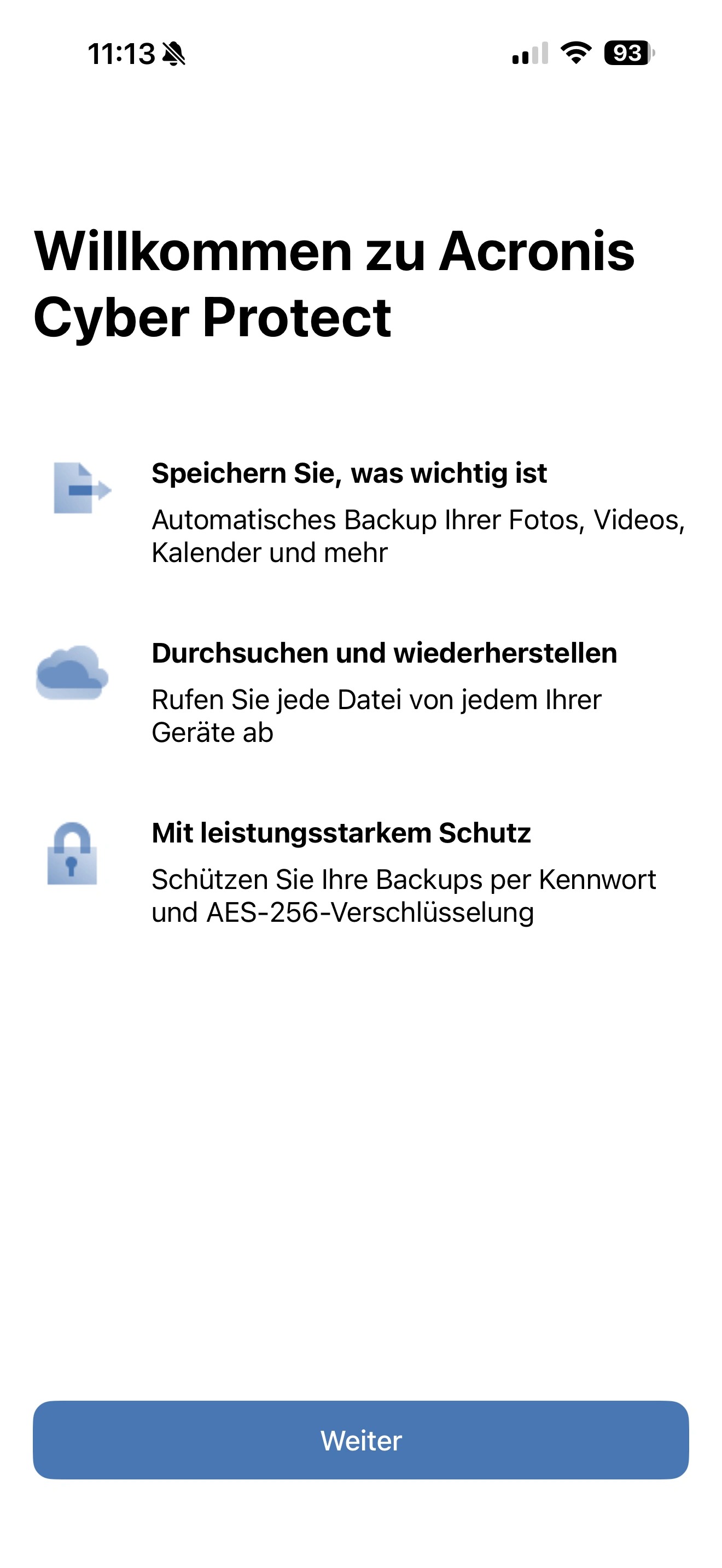
2. Open the app and tap Next to continue with the setup.
https://colony-recorder.s3.amazonaws.com/files/2026-01-19/f6c9cf70-703d-40fe-8721-82b54b4930a6/screenshot_1f776a79a4704cb8b121075140fc693f_text_export.jpeg

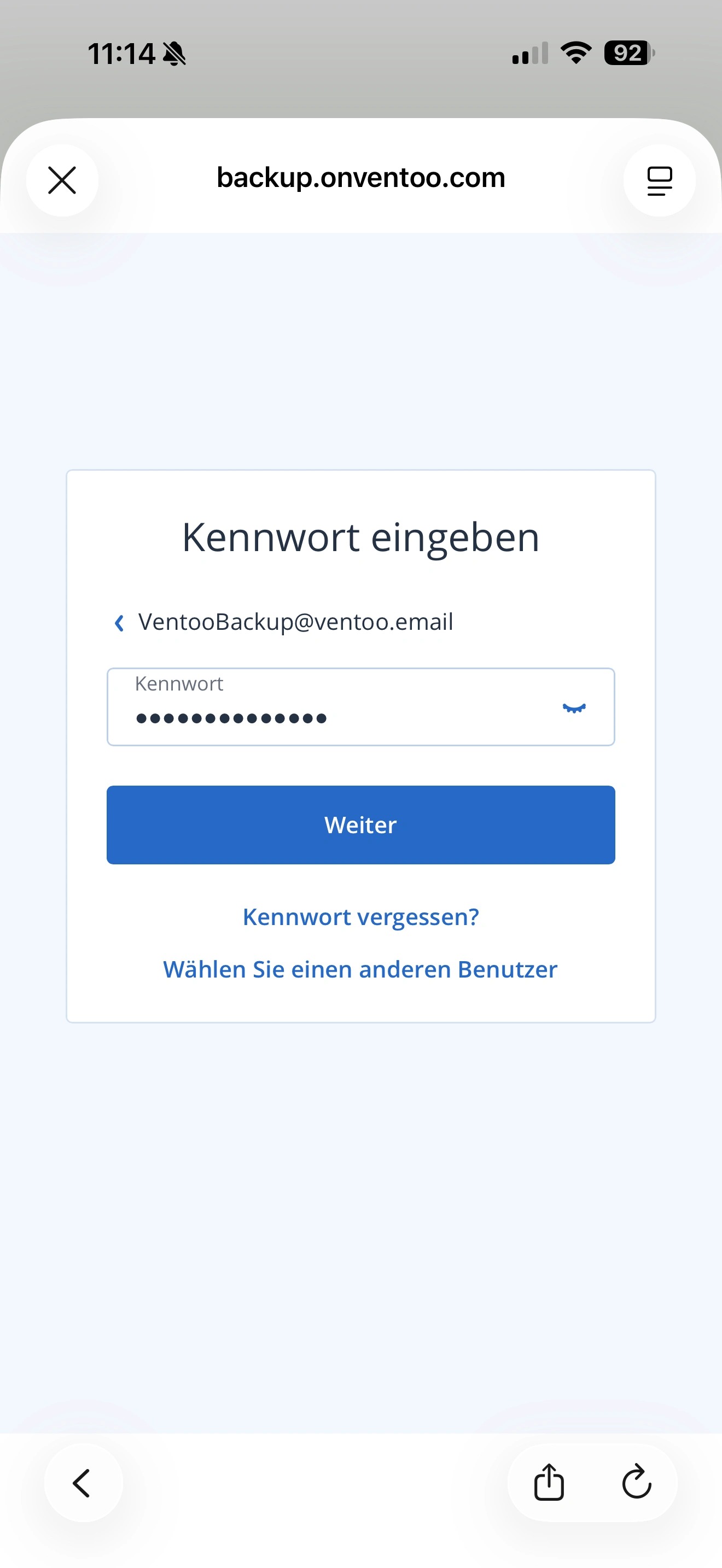
3. Log in with your Ventoo Backup account. You will then be redirected to the website where you can complete the registration process.
https://colony-recorder.s3.amazonaws.com/files/2026-01-19/db4e5170-62a5-44b0-839c-ccc8c9b73bfc/screenshot_5e3fb33dde124d8c8dca9d93e6d8dfb6_text_export.jpeg

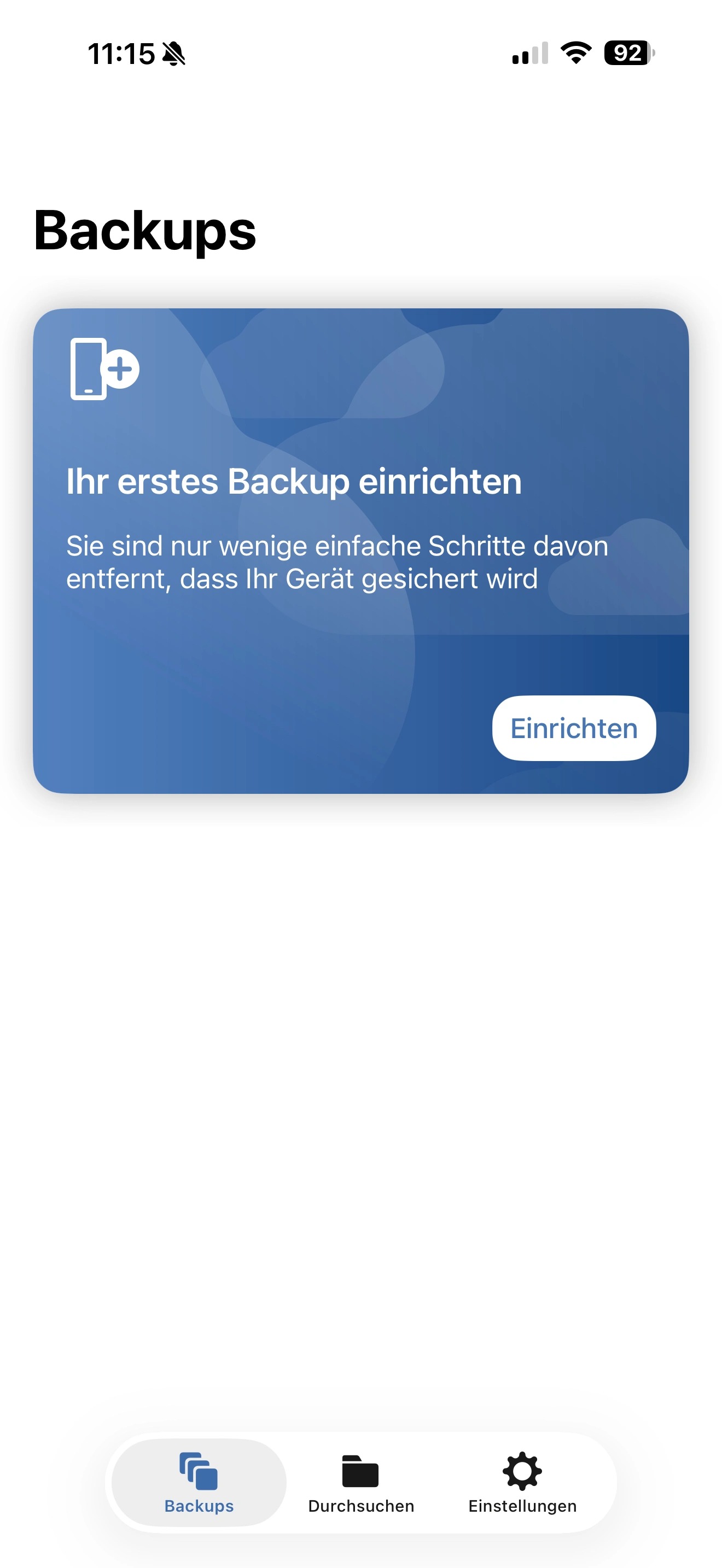
4. Now select Set up backup to start the configuration.
https://colony-recorder.s3.amazonaws.com/files/2026-01-19/65f4a734-bb14-4546-a08e-654c73a996b5/screenshot_28e5a67140764b24b74a5fb59dd320c0_text_export.jpeg

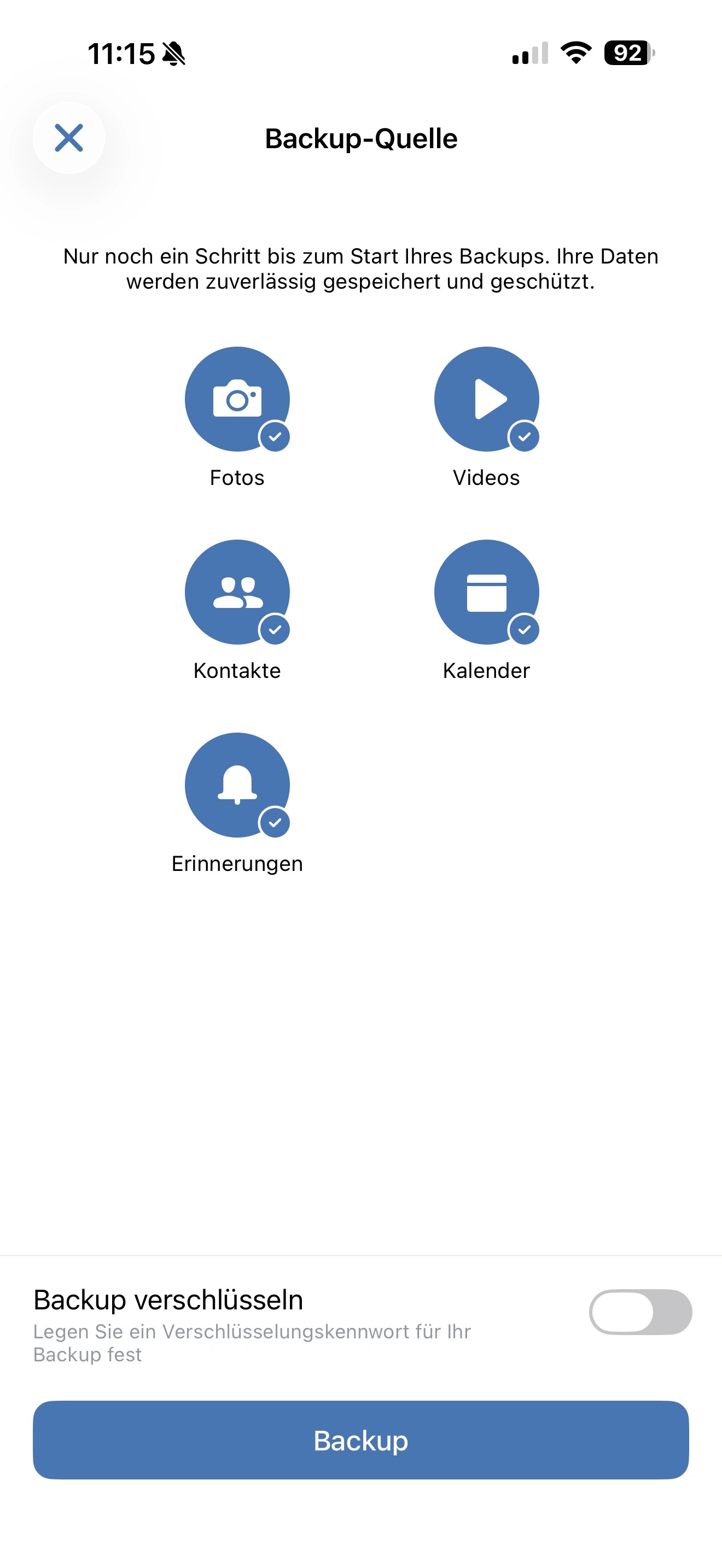
5. Now select which content you want to back up and whether you want to encrypt the backup.
If you decide to encrypt, we recommend using AES 256 with a strong password of at least 45 characters to protect your data as effectively as possible.
https://colony-recorder.s3.amazonaws.com/files/2026-01-19/af87c455-762a-4f45-a49e-5a3d66201a68/screenshot_88c1a77a6b894f08a05ef346161677e4_text_export.jpeg

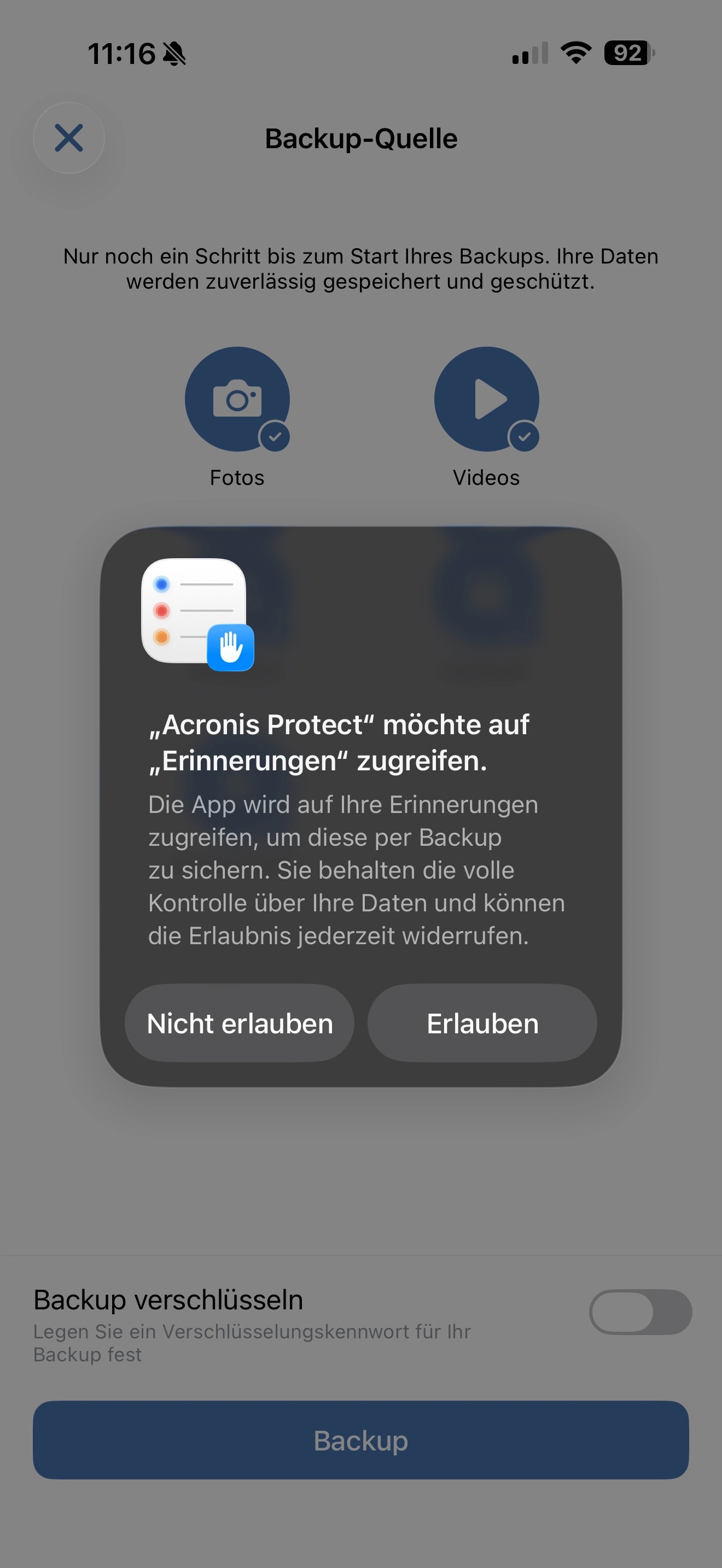
6. Confirm the respective access permissions so that Acronis Cyber Protect can access the necessary resources on your mobile device and back up the selected data correctly.
https://colony-recorder.s3.amazonaws.com/files/2026-01-19/801abe65-5709-47a4-a06c-2fa9c244f9f4/screenshot_c5a65527d88a4b85843274f4d7d07619_text_export.jpeg

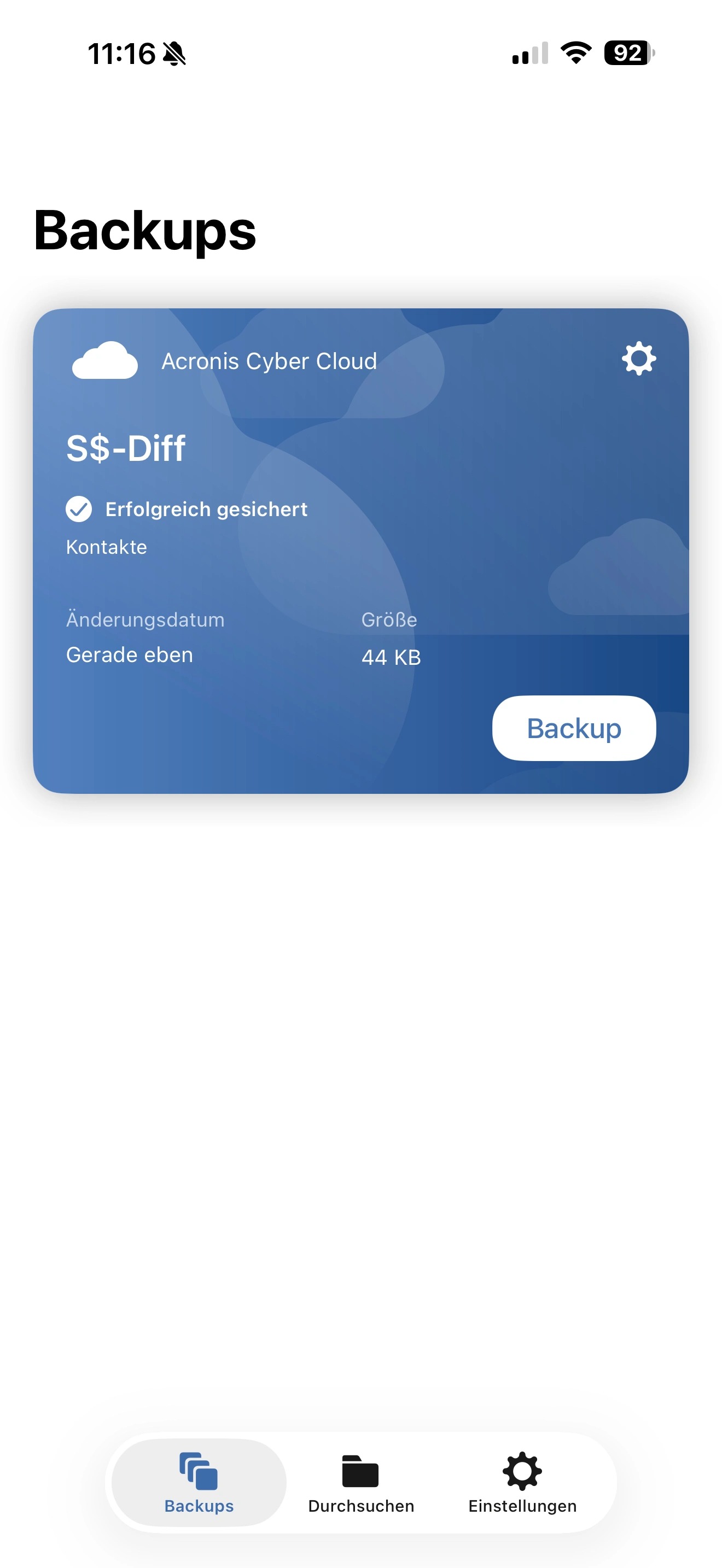
7. Once the backup has been performed, you will see the backup you have set up, along with the execution time and size, under Backups.
https://colony-recorder.s3.amazonaws.com/files/2026-01-19/cb8aa021-1816-4a0c-8d50-3cd5958eb57a/screenshot_7fa2099d9fb34c6ab8d0a15551b0012c_text_export.jpeg

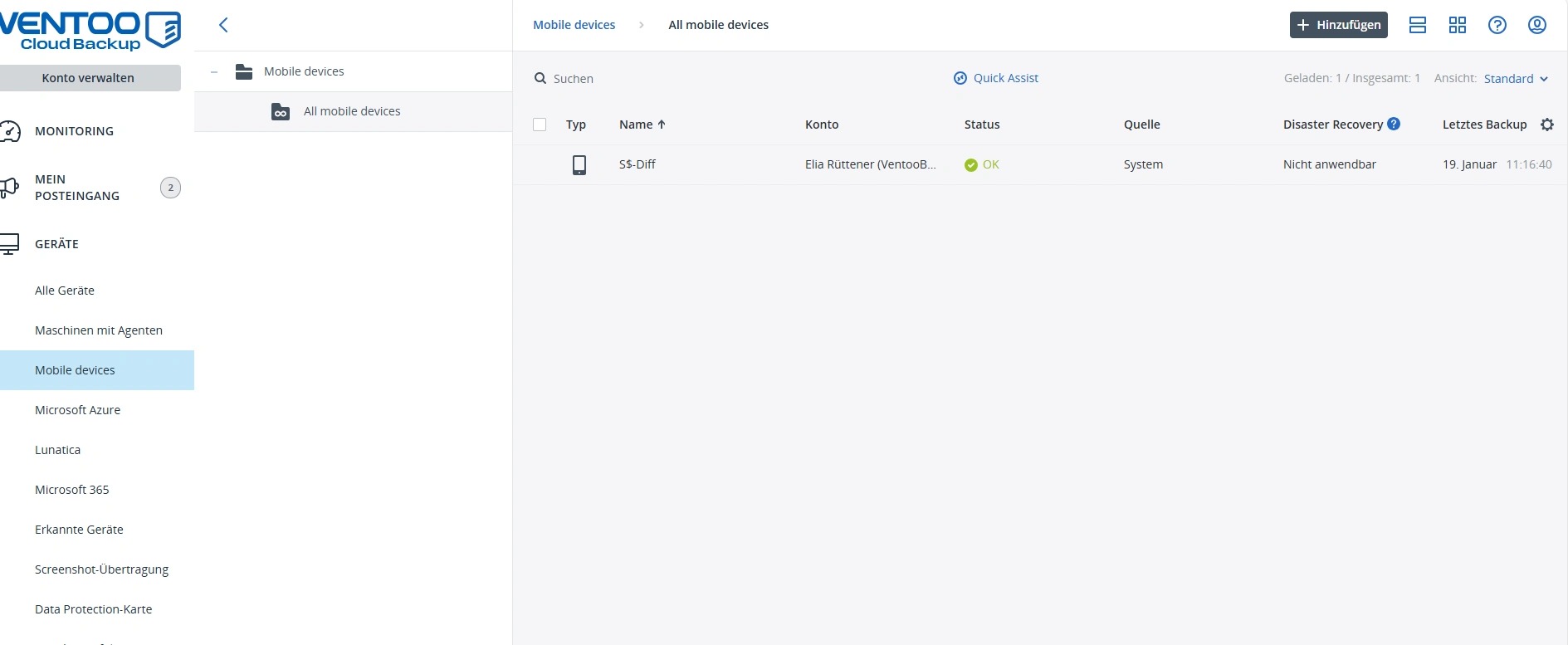
8. In addition, you can now see the mobile device in Acronis and manage it centrally.
https://colony-recorder.s3.amazonaws.com/files/2026-01-19/b0e8dca7-5dc9-42c7-975a-c296ab2d6a2b/screenshot_825c3a3252da47979d9b969859c3772d_text_export.jpeg