
The Phone Lookup Setup page is the central configuration page for Ventoo Phone Lookup. Use it to control the visibility of entities and document types, and to configure the global search behavior.
To open the setup page, select the search icon (Alt+Q), enter Phone Lookup Setup, and select the related link.
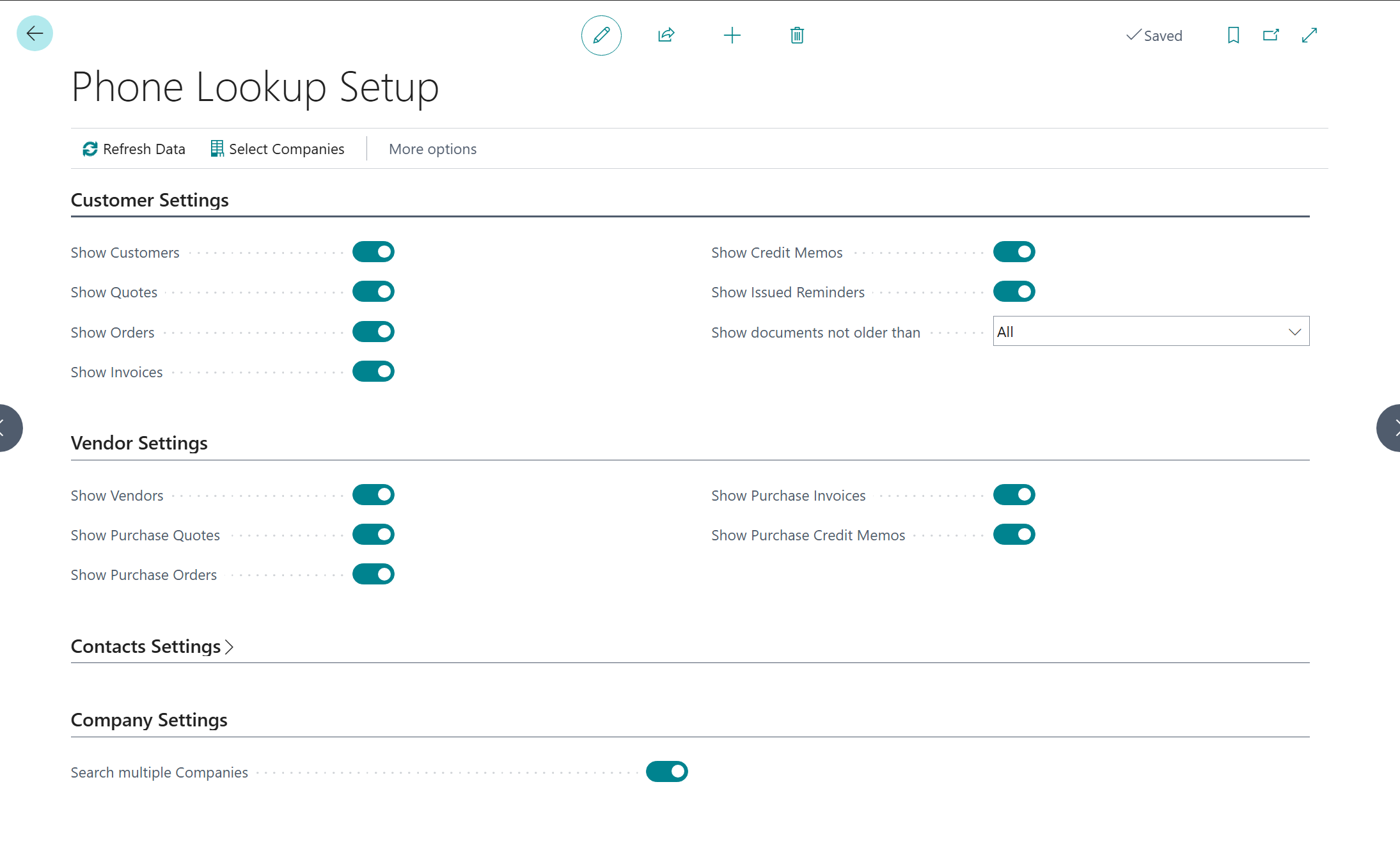
Customer Settings
|
Field |
Description |
|---|---|
|
Show Customers |
Master switch for all customer results. When disabled, customers and all related sales documents are hidden from search results. |
|
Show Quotes |
Show sales quotes in the document history. Only active when Show Customers is enabled. |
|
Show Orders |
Show sales orders in the document history. Only active when Show Customers is enabled. |
|
Show Invoices |
Show posted sales invoices. Only active when Show Customers is enabled. |
|
Show Credit Memos |
Show posted sales credit memos. Only active when Show Customers is enabled. |
|
Show Issued Reminders |
Show issued payment reminders. Only active when Show Customers is enabled. |
Vendor Settings
|
Field |
Description |
|---|---|
|
Show Vendors |
Master switch for all vendor results. When disabled, vendors and all related purchase documents are hidden. |
|
Show Purchase Order Quotes |
Show purchase requests in the document history. Only active when Show Vendors is enabled. |
|
Show Purchase Orders |
Show purchase orders. Only active when Show Vendors is enabled. |
|
Show Purchase Invoices |
Show posted purchase invoices. Only active when Show Vendors is enabled. |
|
Show Purchase Credit Memos |
Show posted purchase credit memos. Only active when Show Vendors is enabled. |
Contacts Settings
|
Field |
Description |
|---|---|
|
Show Contacts |
Show contacts in the search results. |
Search Settings
|
Field |
Description |
|---|---|
|
Search Multiple Companies |
When enabled, the system searches all companies marked as Include in Search under Company Selection. See Company Selection for more information. |
|
Document Age Filter |
Restricts the displayed document history to a rolling time period. Documents outside this period are not shown. |
Document Age Filter — Possible Values
|
Value |
Behavior |
|---|---|
|
All |
No restriction. All documents are shown regardless of date. |
|
7 Days |
Only documents from the last 7 days. |
|
14 Days |
Only documents from the last 14 days. |
|
30 Days |
Only documents from the last 30 days. |
|
60 Days |
Only documents from the last 60 days. |
|
90 Days |
Only documents from the last 90 days. |
Tip: For production environments with extensive document history, a filter of 90 days is recommended to keep search results clear and manageable.
Actions
|
Action |
Description |
|---|---|
|
Select Companies |
Opens the company selection for cross-company search. Only relevant when Search Multiple Companies is enabled. |
|
Refresh Data |
Fully rebuilds the internal phone directory. Run this action after bulk imports or after changes to the country prefixes. |